
A useful summary can make a long YouTube video easier to understand, but its quality depends on what the video says and how clearly that content appears in the transcript. To summarize a YouTube video, an AI tool identifies key points and condenses them. This can save time, but a summary may omit context or detail.
That trade-off matters. A clear transcript gives the system better material to work with, while unclear speech, specialist terms, or fast-moving discussion can make key points harder to capture.
This article explains how AI summaries are created and what affects their accuracy across lessons, talks, news, and reviews. You’ll learn what a summary can help you understand, when a transcript is useful, and why the original video still matters for details. The goal is to help you grasp the main ideas without mistaking a short summary for the whole story.
Key Takeaways
- Use summaries to find the main ideas in lessons, talks, news, and reviews without watching every moment.
- Judge a summary by the source material: clear speech and focused discussion make key points easier to capture.
- Use a transcript when you need to revisit wording or follow a detail that a short summary may leave out.
- Choose a format that fits your next step, from a quick overview to flashcards, quizzes, or questions about the video.
Summarizing educational videos, talks, news, and reviews
The useful takeaways depend on the kind of video. An educational lecture may explain a concept, while a tutorial shows steps in order. A short summary of a 40-minute video can give its gist, but it won’t replace examples, definitions, or detailed instructions. Treat it as a map of the material, not a full lesson.
For educational lectures and tutorials, a strong summary distinguishes the main idea from supporting details. A spreadsheet tutorial, for example, might cover a formula, the menu steps, and a sample result. Those points help viewers decide what to focus on. Video length matters, but so does structure: a focused lesson is easier to condense than one that shifts between several subjects.
For educational videos, start by identifying the question the lecture answers, then note its key terms, examples, and conclusions. A conference talk might make a claim, explain its evidence, and end with practical takeaways. Keeping these elements distinct makes the summary more useful for later study. The English transcript can also help clarify unfamiliar terms or names.
News and reviews call for a different kind of care. A news summary should distinguish the reported event from the speaker’s analysis. A product review may mix direct observations with personal preferences. For example, “the speaker found the setup difficult” does not mean “the product is difficult to set up.” That distinction prevents an opinion from being presented as fact.
Educational uses go beyond quick revision. Use a summary to choose which lecture sections to replay, then return to the transcript for exact wording. For a tutorial, the summary can list the task and its main stages, while the original video remains useful for visual actions. For a conference recording, grouped themes can make a long discussion easier to revisit than a start-to-finish recap.
Summary accuracy
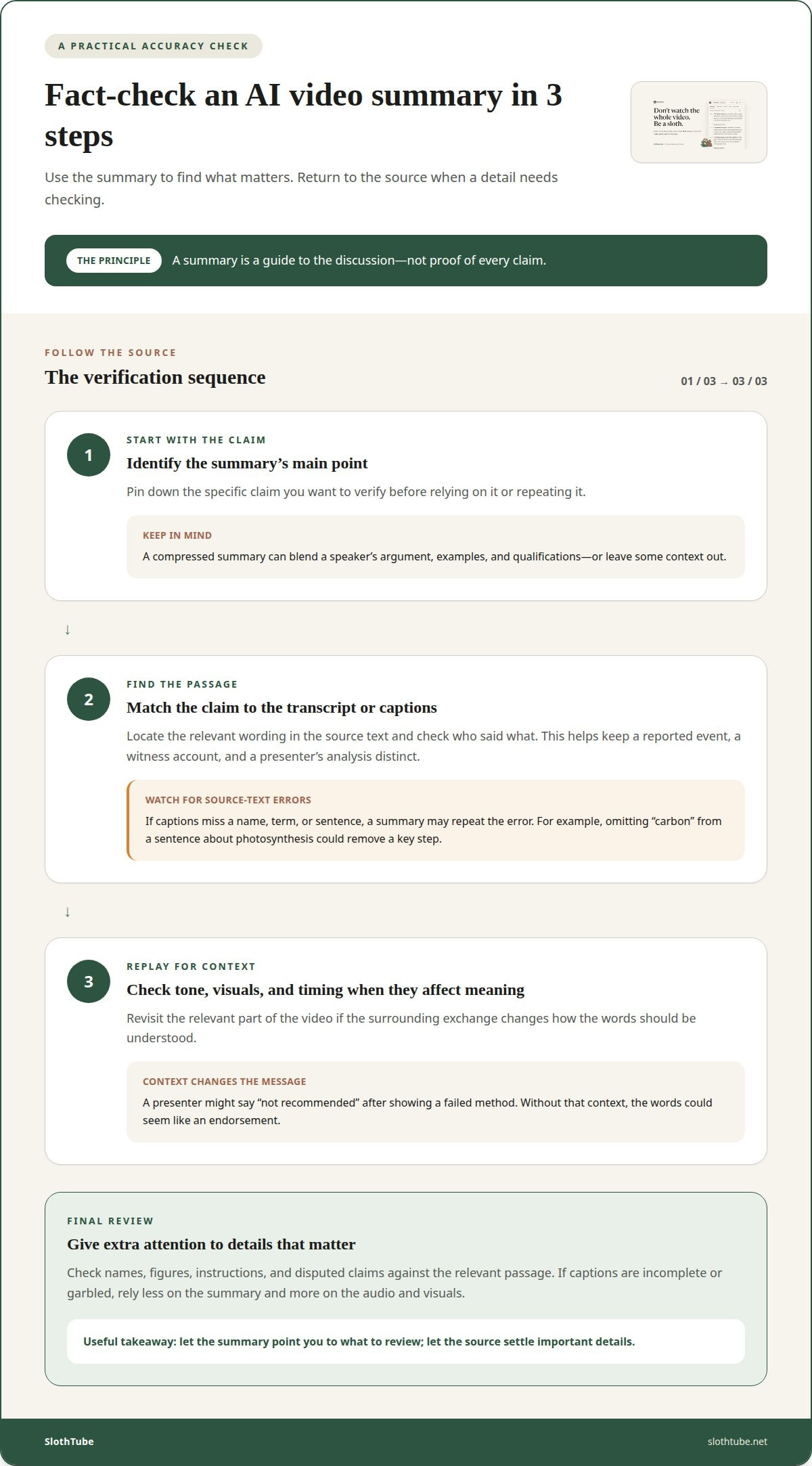
An AI summary reflects the video content it can read or hear through captions. If captions miss a name, term, or sentence, the summary may repeat that error. A lecture on photosynthesis, for example, could lose a key step if a caption omits the word “carbon.” Clear source text gives the system a firmer base, but cannot ensure that every key point appears.
Accuracy also depends on how the speaker develops an argument. A tutorial may repeat a step for emphasis, while an interview may shift between questions, examples, and personal views. A short summary can blend these parts or omit a qualification. That matters when saving a quote or recalling a speaker’s exact position. Treat the summary as a guide to the discussion, not proof of every claim.
For fact-checking, follow a simple sequence. First, identify the summary’s main claim. Next, find the matching passage in the transcript or captions. Then replay that part of the video if tone, visuals, or timing affect its meaning. For example, a presenter might say “not recommended” after showing a failed method. Without the surrounding context, the words could seem like an endorsement.
Limits become more noticeable in dense or fast-moving videos. A news report may combine an event, a witness account, and the presenter’s explanation. A summary that compresses all three can make one person’s view sound like a confirmed fact. Note who said what to preserve the distinction. Interviews also depend on follow-up questions, so a clipped answer may not reflect the full exchange.
Use summaries to find where to focus, then consult the source for important details. Check names, figures, instructions, and disputed claims against the relevant passage. If captions are incomplete or garbled, rely less on the summary and more on the audio and visuals. This quick review helps you keep useful takeaways while reducing the risk of repeating an error.
AI-generated summaries of YouTube videos
An AI tool can extract main ideas from a video transcript and turn them into concise notes. The process usually starts with a video link.
Generating Summaries from URLs
Copy the YouTube URL, paste it into a summarizer, then submit it. The tool uses available transcript text to generate a summary, so captions affect what it can process. For a podcast, the result might group themes or pull out decisions. A long video can produce a useful overview, but the summary’s focus depends on the prompt and source text. Choose a tool that shows the result clearly, such as these AI-generated video summaries.
Viewing and Copying Summaries
Generated summaries often appear on the tool’s page, where you can read or copy them. Pasting the text into a document makes it easier to save key ideas with your own notes. For example, keep a podcast summary with its episode title and URL in your study file. Treat the text as a guide to the video, not a replacement for details you may need later.
Transcripts and Automatic Summaries
To get a transcript or captions, open the video’s transcript panel when available and copy the text. Captions and summaries are different: captions record spoken words, while an AI tool uses text to extract main ideas. Captions alone do not create a summary. A summarizer must process the video URL or transcript. For privacy, avoid submitting sensitive material, and treat a generated summary as shareable if the tool provides a public link.
Free or Paid Tools
Access varies by tool. Some summarizers let you create a summary without an account, subscription, or payment, though temporary request limits may apply. Other tools may reserve features for paid plans. Before submitting a long lecture, check what the tool allows and whether it can use the video’s captions. The main difference is often access to features, not whether a summary captures every detail.
AI-powered YouTube video summaries
AI can turn a video transcript into a shorter account of its main points. Free summarizers are available, though temporary request limits may apply.
AI-Powered Summary Generation
A summarizer draws out topics, supporting claims, and conclusions from the available video text. For educational videos, that can mean separating a central idea from examples. A 30-second summary can give the gist of a 40-minute video, while a two-hour podcast may need grouped highlights, decisions, and quotes. The useful level of detail depends on the task.
Language matters too. Some tools can summarize and transcribe videos in multiple languages and let you choose the transcript language. For a talk that switches languages, a summary may be more useful when the source text matches the spoken content. You can also guide the summary with a prompt. Ask for arguments, key takeaways, or a topic outline instead of a general recap.
ChatGPT can work from text you provide, such as a transcript, and a focused prompt helps define the result. A request to list the speaker’s main claims produces a different summary from one asking for examples. Most AI models return a summary within 10-20 seconds after a prompt is pasted, though source length and the requested detail affect the task.
Free Summarizer Tool Selection
No single free tool is best for every video. Compare whether it supports the language you need, handles the video’s length, and presents a summary you can read or copy. Some tools allow use without an account, subscription, or payment, but temporary request limits may apply. A free option can suit occasional summaries, while regular study may benefit from additional tools.
Choose by what you need next. A learner may want a clear outline, while a researcher may need a transcript beside the summary. For a quick overview, try an AI video summary and use its takeaways to decide what deserves a closer look.
SlothTube
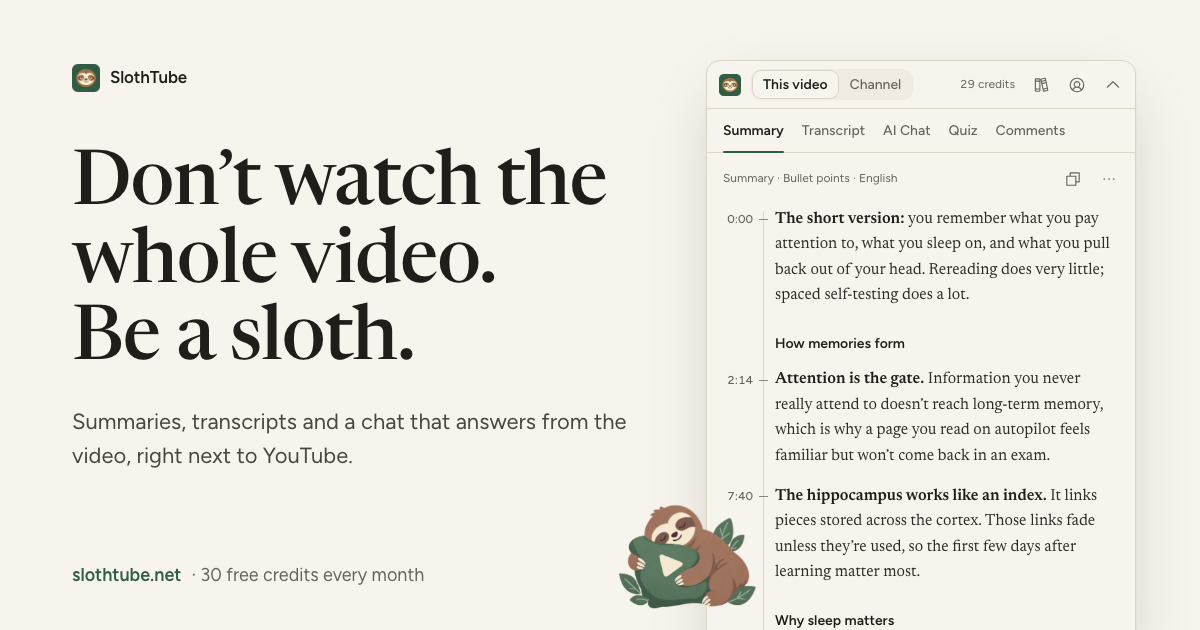
SlothTube turns YouTube videos into learning materials that are easier to use. Choose it when you want a concise overview, a transcript to revisit, or another way to engage with a lesson. Video flashcards and quizzes can help you review ideas, while AI video chat lets you ask questions about the content. These formats support different goals, from grasping the gist to studying key points.
A summary is a starting point, not a substitute for important details. Pair it with a transcript or choose a study format that suits your goal. To work with a YouTube video, explore SlothTube’s summaries, transcripts, and study tools.
Make the next video easier to use
A good way to summarize a YouTube video is to start with what you want to do next. Are you looking for a quick overview, notes to keep, or a way to revisit the ideas later? Let that goal shape how you use the summary. A short recap can point you toward a topic, while a transcript gives you text to work from. For study, flashcards and quizzes can turn video ideas into review material.
SlothTube brings these formats together for YouTube learning. It offers video summaries, transcripts, flashcards, and quizzes, so you can choose what fits your next step. The value is not simply having shorter text. It is having a format you can return to when a video raises another question or a key idea needs more thought.
Ready to put a video to work? Contact SlothTube and take the next step at your own pace.
Frequently Asked Questions
Trouble grasping key points of long YouTube videos?
Start by deciding what you need from the video, such as a definition, a process, or a speaker’s conclusion. Use the summary to find the relevant topic, then return to that part of the recording. For a panel discussion, consider each speaker’s main claim separately. This makes a broad conversation easier to follow without treating every detail as equally important.
Can I choose different summary formats?
Yes. Choose a format that fits the task: a short overview for orientation, a transcript when exact wording matters, or study aids for recall. For example, someone preparing for a class discussion might start with a concise recap, then turn key terms into flashcards. SlothTube offers summaries, transcripts, flashcards, and quizzes for different ways of working with video material.
How accurate are the AI-generated video summaries?
Summaries can capture central ideas, but may omit context or misstate a detail. Test one important claim by finding the surrounding passage in the video. For a panel, note which speaker made the claim. For a how-to, compare the stated step with the action shown onscreen. This can catch errors that a short recap hides.
Best free YouTube video summarizer tools
No single free summarizer is best for every video. Compare whether a tool supports the language you need, handles the video’s length, and provides a summary you can read or copy. Some tools allow use without payment, though temporary request limits may apply.
YouTube video summarizer privacy and safety risks
SlothTube gives each completed summary a secure environment, but you should still avoid submitting sensitive material and not treat generated summaries as public records. Summaries can also omit context or contain mistakes, so check important details against the video or transcript.
How to summarize a YouTube video without a transcript
Paste the YouTube URL into a summarizer and submit it. The tool can process available transcript text to create a summary. SlothTube works best with accessible captions and can process videos efficiently even when you need to summarize youtube video content quickly.